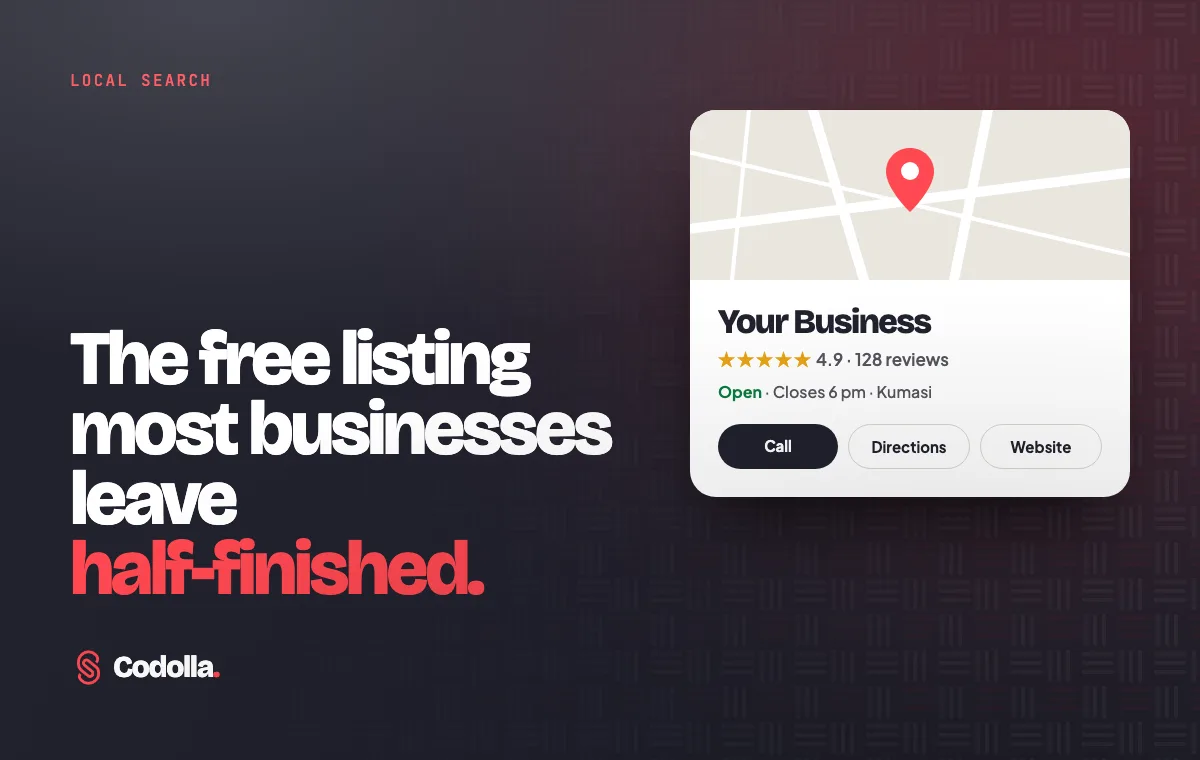
When someone searches for a pharmacy, a printer or a restaurant near them, Google usually shows a map and a short list of local businesses before any website. Each of those entries is a Google Business Profile. It is free, it takes an afternoon to set up properly, and yet many businesses either do not have one or leave it half-finished.
A complete profile lets customers see your hours, call you, get directions and read reviews without leaving Google. Here is how to get yours right.
Claim and verify your profile
Go to google.com/business and sign in with a Google account the business controls, not a staff member's personal account. Search for your business name. If a profile already exists, claim it; if not, create one.
Google then asks you to verify that you run the business. The methods offered vary by business and location and can include a phone call or text, an email, or a short video showing your premises, signage and tools of the trade. Verification can take a few days, so start early.
Get the basics exactly right
These details decide whether you appear in the right searches and whether customers can act on what they find:
- Business name: use your real-world name, exactly as it appears on your sign. Adding extra keywords breaks Google's guidelines and can get a profile suspended.
- Primary category: choose the one that best describes your main business. It has a big influence on which searches you appear in. Add a few secondary categories for other things you genuinely offer.
- Location: place the map pin precisely. If you serve customers at their premises rather than your own, you can set a service area and hide your address.
- Phone and website: use a number that is answered during opening hours, and link to your website if you have one.
- Hours: keep regular hours accurate and add special hours for public holidays.
Fill in the sections most businesses skip
This is where a half-finished profile becomes a strong one:
- Description: you have up to 750 characters. Say plainly what you do, who you serve and what makes you different, in the words customers use.
- Products and services: list what you sell, with prices where you can. It answers questions before people call.
- Photos: add clear, recent photos of your storefront, your team, your work and your products. A storefront photo helps people recognise you when they arrive.
- Updates: share offers, new stock and events. Regular updates show the business is active.
Turn reviews into trust
Reviews are often the deciding factor between you and the business next door.
- Ask every satisfied customer. Your profile has a short link you can share on WhatsApp, on receipts or on a sign at the counter.
- Reply to every review, positive or negative. Thank people by name, and answer complaints calmly with a way to put things right.
- Never buy reviews or offer rewards for them. Google's policies prohibit incentivised reviews, and they can be removed.
A complete, active profile with recent reviews does more for local customers than almost any other free marketing.
Keep it up to date
Set a reminder to check your profile once a month. Update hours before holidays, add a few new photos, reply to new reviews and correct anything that has changed. The insights in your profile also show how people found you and what they did next, such as calls, direction requests and website visits.
Want a second opinion?
Your Google profile is one part of how customers find you. Our free Digital Presence Check scores your whole online presence out of 100 in two minutes. If you would like help setting up your profile or the website it links to, get in touch with Codolla Studio.